Last updated: September 23, 2026
Welcome
Thank you for contributing to From Oblivion to Memory. This archive exists because families like yours are willing to share what they know — a name, a photograph, a story passed down — about a prisoner held on Asinara during the Italo-Ethiopian War.
We know this material can be personal, and sometimes painful. Nothing you submit goes public without review, and you are never working through this alone: a liaison from the FOM team is with you at every step (see below).
This guide walks you through your dashboard, how to submit a contribution, what happens after you submit it, and what each stage of review means.
Getting started
Once your registration is received, FOM sends you a welcome email with a link to sign in, and signing in takes you to your dashboard.
Your dashboard shows two portals:
Prisoner Research — your current research on a prisoner's record and its status, or a Pick a Prisoner button if you don't have one in progress
Open Research — material not necessarily related to a particular prisoner, any Open Research piece you've started, and its status
Contribution History — what you've submitted before
Besides the dashboard there are three other pages: My Contributions (track the status of your Prisoner Research), Edit Profile, and Resources (research resources to consult while you work on a prisoner's record, including a pdf form you can submit in lieu of working in the archive website).
Your liaison
A member of the FOM team is assigned to you as your liaison. Your liaison is your point of contact for the whole life of your contribution.
Your liaison can:
Read your work as you go and reply to your messages in the conversation area
Help you find sources, records, or family members who might know more
Explain feedback from the Review Committee in plain terms
Your liaison’s replies appear in the conversation area of each contribution, labelled with their name (or “Your liaison”). You can write to them there at any time. Your liaison’s name is shown at the top of your dashboard and on each contribution page.
Messages and email
Your liaison, and later the Review Committee, talk with you in the conversation area of your contribution page. You can write back there at any time, whatever the status.
When your liaison writes to you, or the reviewers ask for a revision or when they reach a decision, FOM also emails you the full message, so you don’t have to keep checking the site. However, please reply in the conversation on the site, not by replying to the email.
The emails you may receive:
a welcome message (with sign-in link) when your registration is received
a reply from your liaison
a decision from the Review Committee: (revise, publish, add to archive, or questions before it can move forward)
You will not receive an email when you submit your work for review. The status on your dashboard will, however, change to show you have submitted your work to the reviewers.
The two ways to contribute
There are two tracks. You can have work active on both at the same time, and your dashboard shows both together.
Track | What it is | Tied to a prisoner? |
|---|---|---|
Prisoner Research | A correction or addition to your chosen prisoner’s record — a date, a location, a photograph, a document, a family detail | Yes |
Open Research | A freeform piece of writing — a story, an investigation, background history — not tied to any one prisoner’s public record | No |
Prisoner Research becomes part of a prisoner’s public page once it is published. Open Research is never displayed publicly: after review it is either sent back to you for revision or added to the archive, and it is not published to a prisoner’s page. You can start more than one piece over time and even repeat work on a prisoner you have worked on before.
Understanding your submission’s status
Your work moves through these states, shown as a badge on your dashboard. Prisoner Research can reach all four – ultimately to Publication. An Open Research piece, however is never Published: it ends as Archived.
From | To | What happens |
|---|---|---|
In Progress | Under Review | You submit it |
Under Review | In Progress | Reviewers send it back for revision |
Under Review | Published | The committee accepts it |
Under Review | Archived | The committee adds it to the archive |
In Progress — You’re still drafting. Your work saves automatically as you go, your liaison can see it, and it is not public. You can edit freely and submit when you are ready.
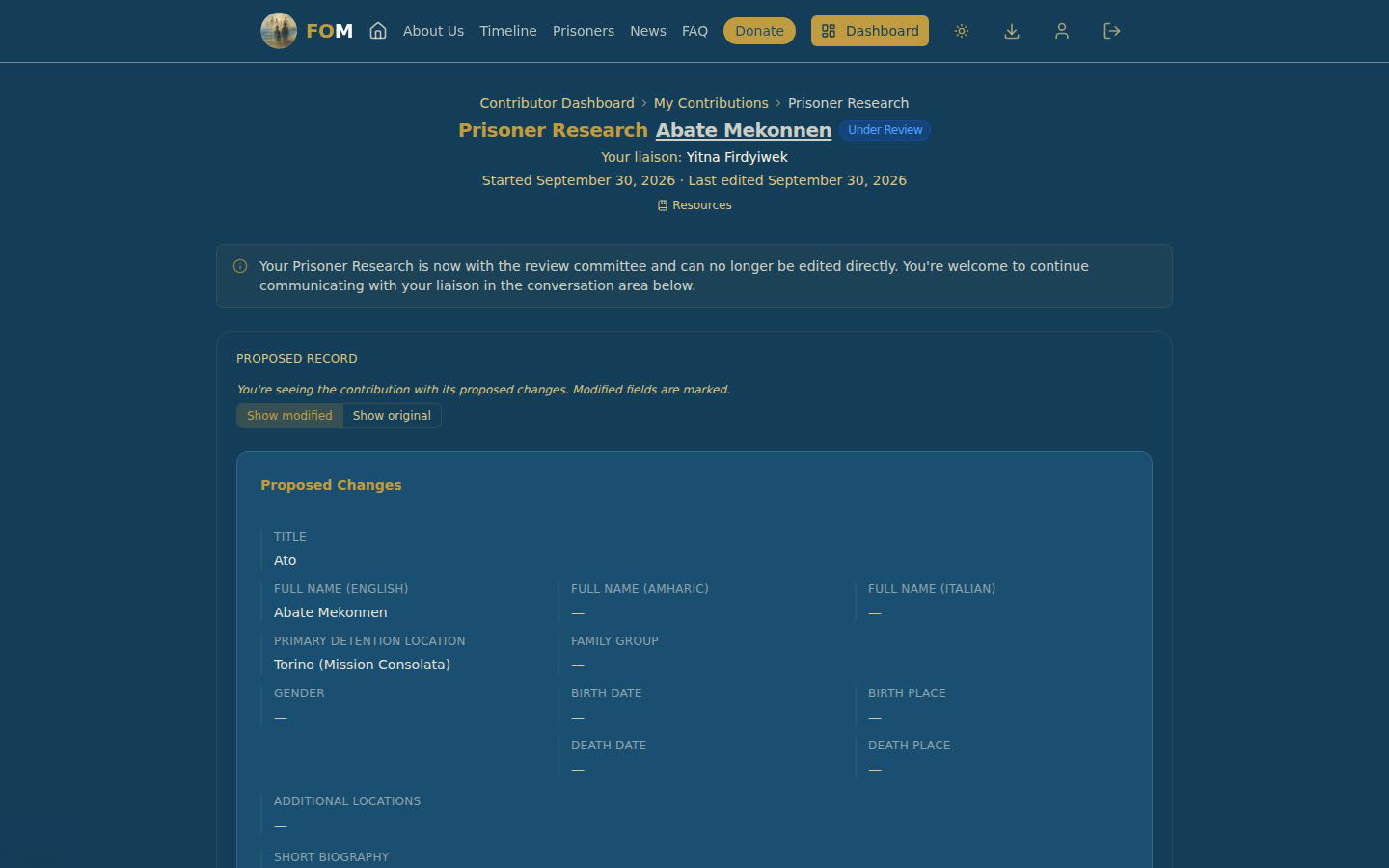
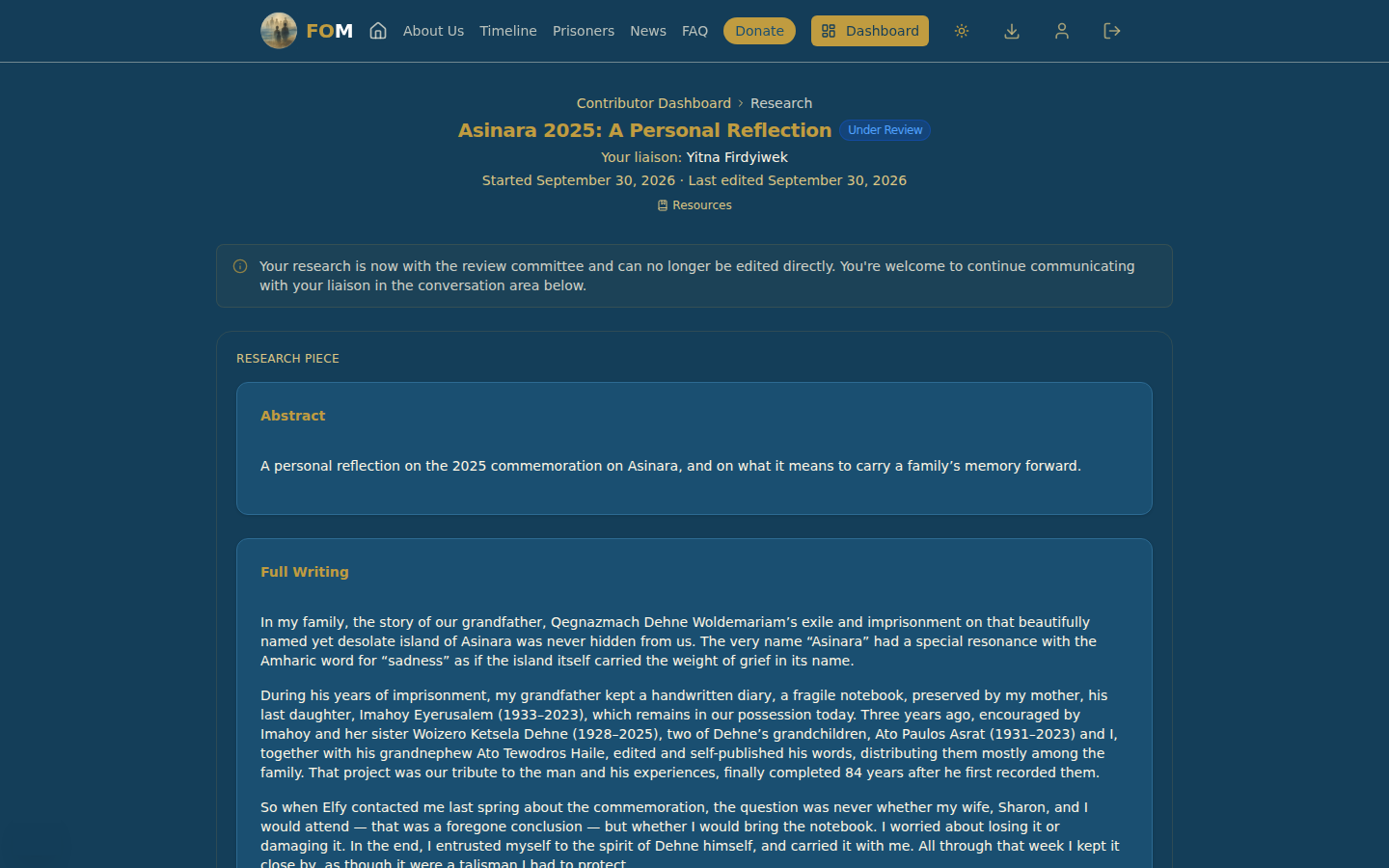
Under Review — You’ve submitted it. It’s now with the Review Committee, and you can no longer edit it directly. You can still write to your liaison in the conversation area, and your liaison can tell you where it stands.
Revision — The committee has asked for you to revise some aspect of your work.
Published — The committee has accepted your work and it is now part of the prisoner’s public record.
Archived — The committee has added your work to the archive. It is kept with the project’s records, but it doesn’t appear on the public page. The committee’s message explains the decision, and your liaison can talk it through with you.
If the reviewers ask for changes (revision), your work moves back to In Progress. Their reason appears in the conversation and is emailed to you in full, and you can revise your work and submit it again.
Working on Prisoner Research
Choosing your prisoner. Select Pick a Prisoner on your dashboard. You work on one prisoner at a time: the button is locked while your Prisoner Research is In Progress or Under Review, and it is available again once it is Published or Archived.
Editing. The form shows the prisoner’s record as it stands. When you change a field, a Modified badge appears on it, and Restore original puts it back. Show original lets you compare a field with the record as it was. Your work saves by itself a moment after you stop typing, and you can also choose Save and Continue. Only what you change is saved, so if FOM staff correct the record while you are working, you will see their correction when you reopen the form. Nothing goes to the committee until you submit.
What you can change. You can correct or add information: names, dates and places, the biography sections, locations and family group. You cannot propose removing something that is already on the record. You can add a location but not take one away, and choosing a different primary location or family group replaces the old one (the old primary location is kept as an additional location). If something on the record needs to be removed, tell your liaison.
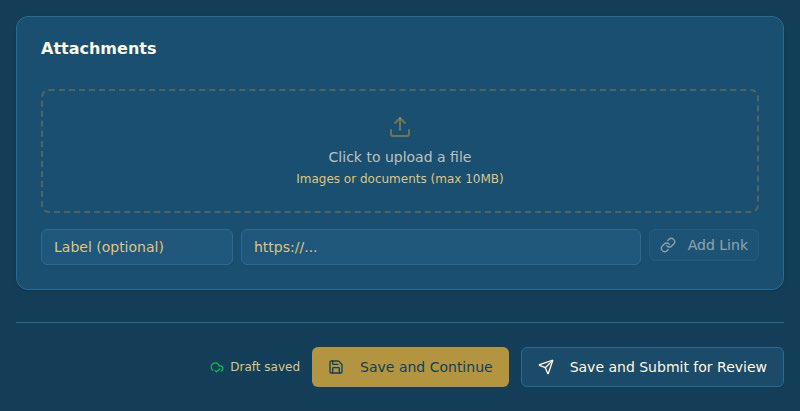
Attachments. You can attach pictures, PDFs and Word documents (up to 10 MB each) and add links; a link’s address must begin with http:// or https://. You can change or delete your own attachments while your work is In Progress.
Pictures and video in a biography. To put a picture inside a biography section, use the picture button and upload it from your computer. A picture pasted in from another website’s address will not appear to reviewers or on the public page, and neither will a video. To share a video, add it as a link under Attachments instead.
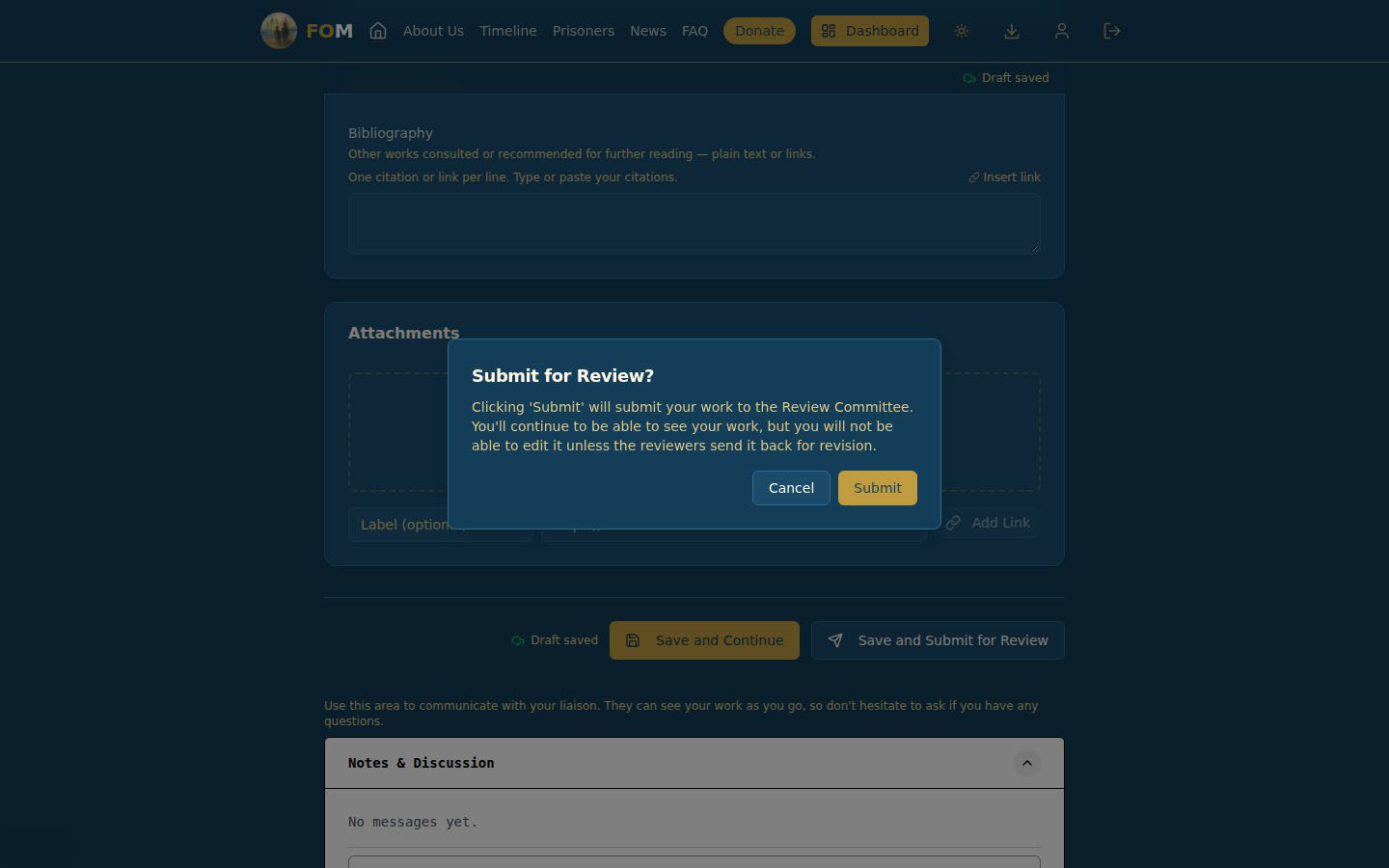
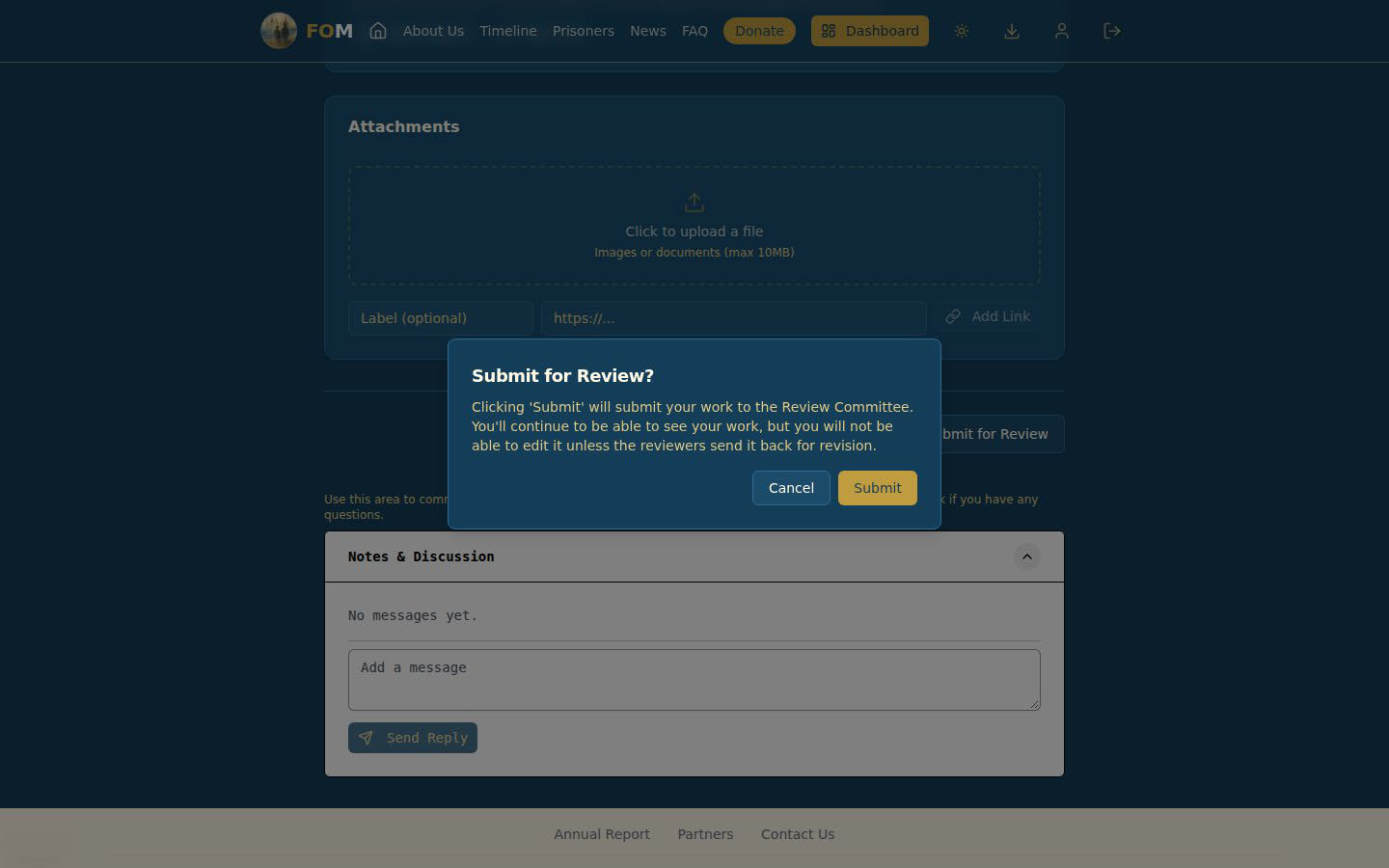
Submitting. When you are ready, choose Save and Submit for Review. FOM asks you to confirm. After you submit you can still see your work, but you cannot edit it unless it is sent back for revision.
Live example: Prisoner Research
This example follows a contributor working on Ato Abate Mekonnen, whose record has no biography yet, so everything in the form is new. The text typed into the form is sample text.
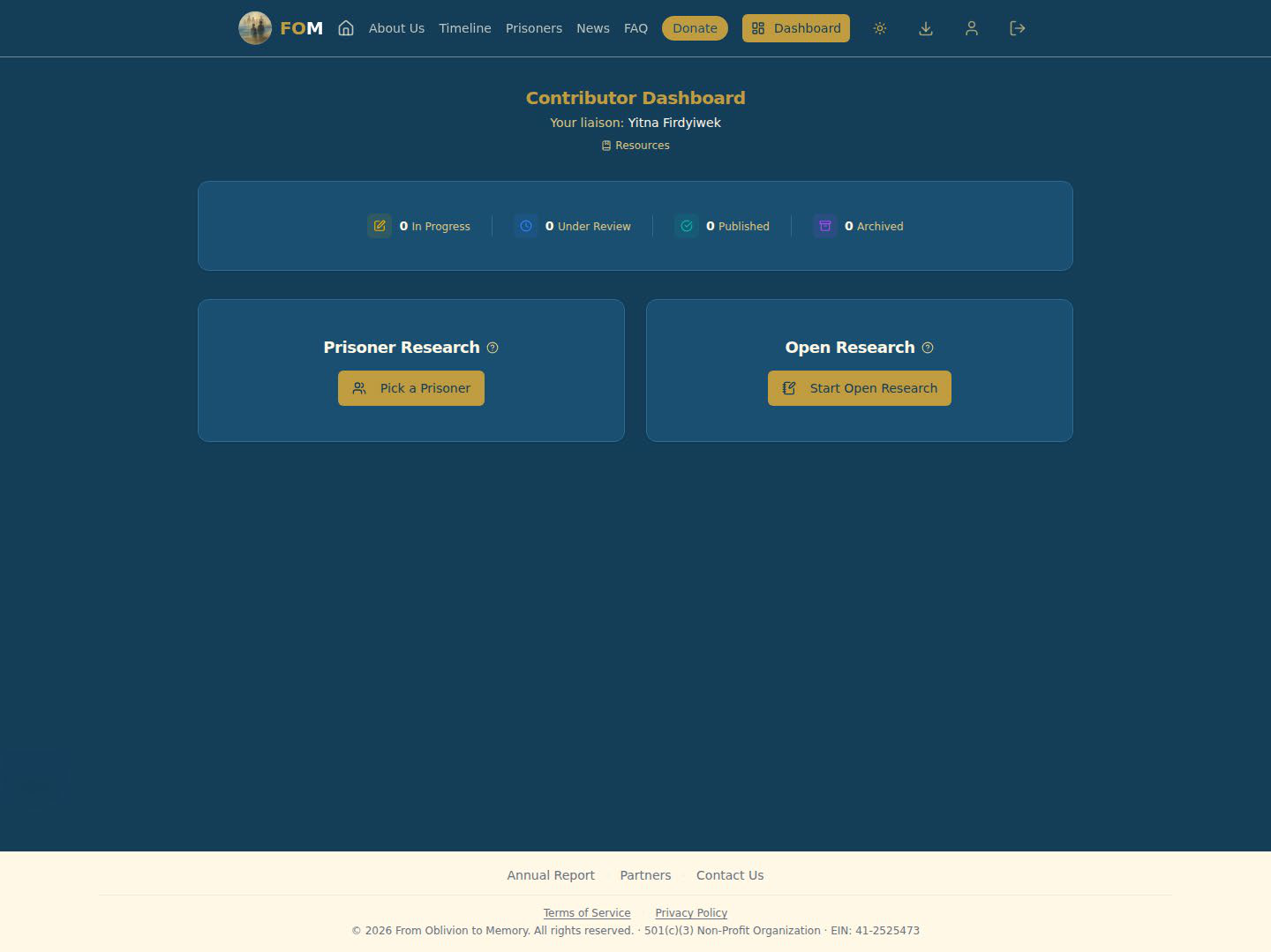
1. Your dashboard. Select Pick a Prisoner to start. Your liaison’s name is shown at the top.
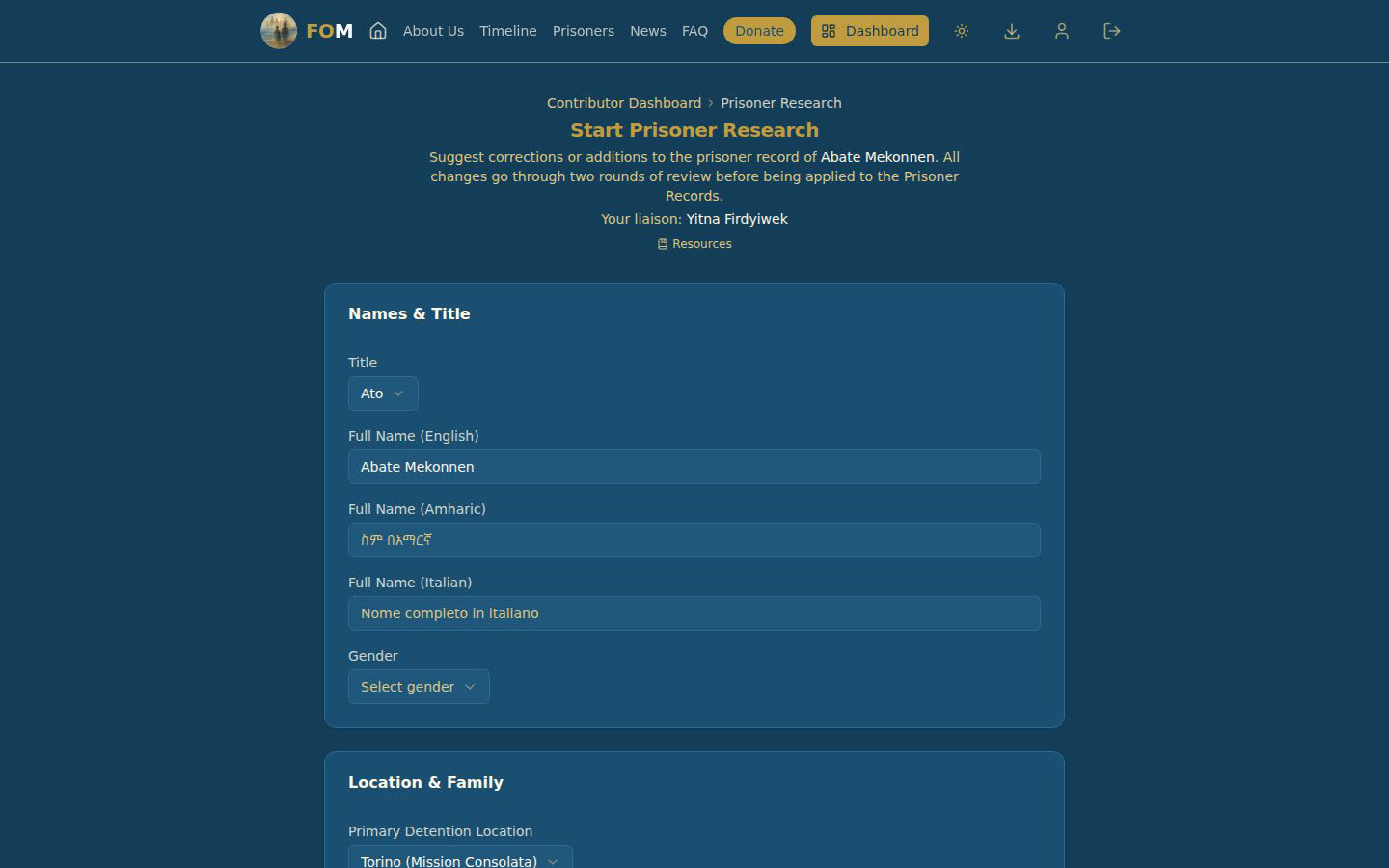
2. The form opens with the record as it stands. Nothing is marked as changed yet.
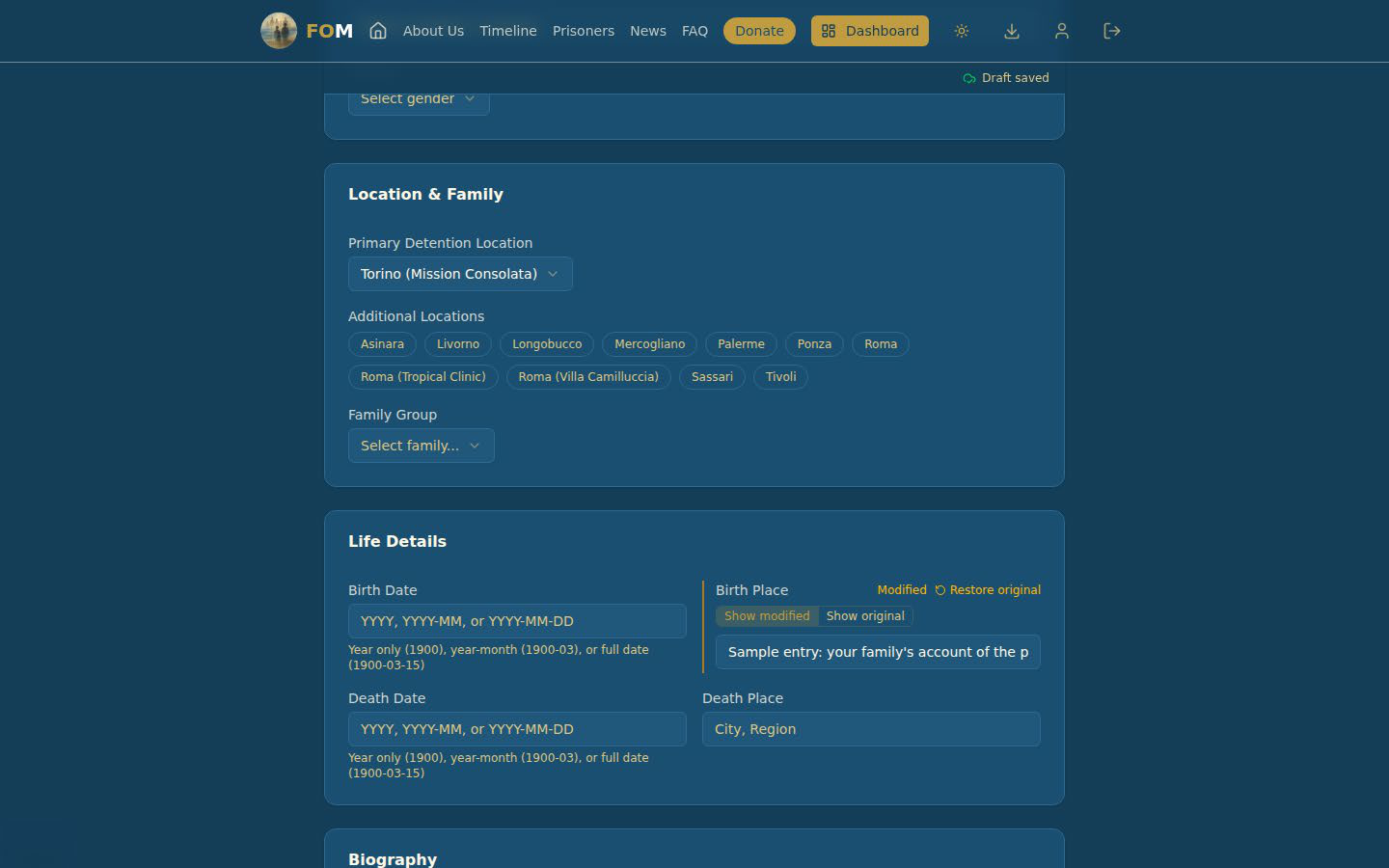
3. As you type, the field is marked Modified. The words Draft saved at the top show that your work has been kept.
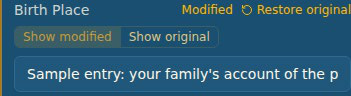
4. Restore original puts a field back. Show original lets you compare a field with the record as it was.
5. Submitting. When you choose Save and Submit for Review, FOM asks you to confirm.
6. Under Review. Your work is now with the reviewers. You can still read it, and you can still write to your liaison.
Live example: an Open Research piece
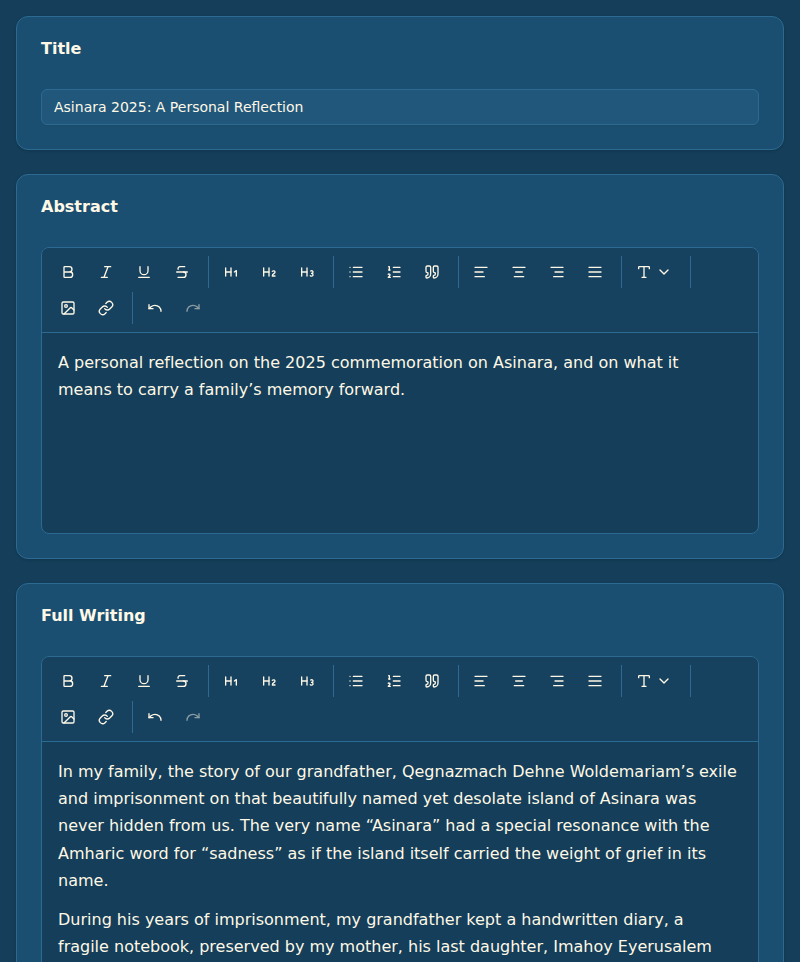
This example is a personal reflection, “Asinara 2025: A Personal Reflection”. It is not about one prisoner’s record, which is what makes it Open Research.
1. Title, Abstract and Full Writing. Write a short abstract, then the piece itself. The toolbar has the usual formatting buttons, an upload button for pictures, and a link button.
2. Attachments and saving. You can attach pictures or documents (up to 10 MB each) or add a link. Draft saved shows that your work is kept, and Save and Submit for Review sends it to the reviewers when you are ready.
3. Submitting. FOM asks you to confirm before it goes to the reviewers.
4. Under Review. Your piece is now with the reviewers. You can still read it, and you can still write to your liaison.
Getting help
Your liaison is your first point of contact for anything about your specific contribution. If you have trouble with the site itself, such as signing in, or you haven’t heard back from your liaison within a week, write to info@fromobliviontomemory.org.
There’s no wrong question — if something on your dashboard doesn’t make sense, ask.